
AppStudio 4.0.4 has been released.
Nothing major in this one, but a number of useful enhancements and fixes. In particular, we think we have a solution for the double click problem caused by iScroll 5.
AppStudio 4.0.4 has been released.
Nothing major in this one, but a number of useful enhancements and fixes. In particular, we think we have a solution for the double click problem caused by iScroll 5.
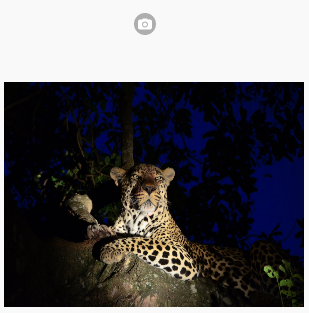
With the new Camera control, you can add the ability to capture pictures to your app without writing a line of code. It also has a much nicer camera icon than using a text field with an inputType of ‘file’.
AppStudio 4.0.3 has been released.
The cool new thing this time is a Camera control – making it much easier (and prettier!) to add a picture taking feature to your app.
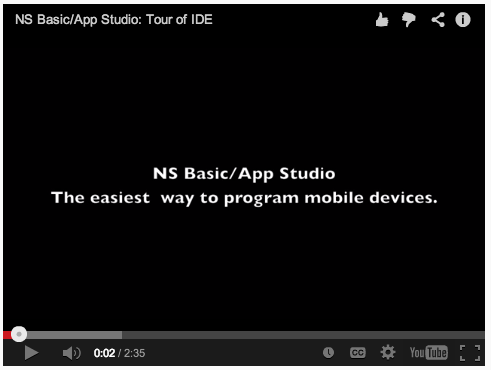
Adding a YouTube video to an app has always been more work than needed. Now, instead of customizing an HTMLview to do the job, there is a dedicated YouTube control.
Simply drag the YouTube control onto the Design Screen, size it, and supply the YouTube Video ID. AppStudio does the rest.
We have found a problem with clicks on scrolling controls. It appears to be a bug in the new iScroll 5 library. The problem first appeared in 4.0.0: If you click on a scrolling list, a click event was fired for everything except Android.
The solution, in 4.0.1, was to add click:true to the scroller’s settings. This fixed the problem on Android, but resulted in 2 clicks firing elsewhere. We have opened an issue for this on iScroll’s bug tracker: https://github.com/cubiq/iscroll/issues/674
We will keep you posted!
Update: Fixed in 4.0.4.
AppStudio 4.0.2 has been released.
There are cool new controls for YouTube and Google Maps, plus some fixes.
AppStudio 4 comes with jQuery Mobile 1.4. It has over 50 icons you can use with your controls. If that’s not enough, you can add custom icons of your own.
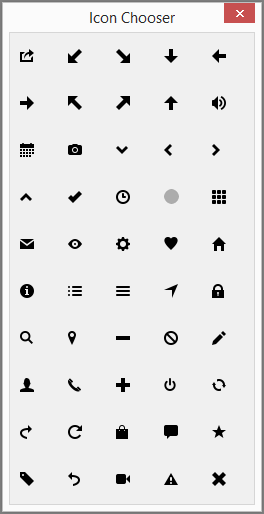 To help you choose, there’s a handy picker that appears in most cases. The icons are:
action, arrow-d-l, arrow-d-r, arrow-d, arrow-l,
arrow-r, arrow-u-l, arrow-u-r, arrow-u, audio,
calendar, camera, carat-d, carat-l, carat-r,
carat-u, check, clock, custom, grid,
mail, eye, gear, heart, home,
info, bullets, bars, navigation, lock,
search, location, minus, forbidden, edit,
user, phone, plus, power, recycle,
forward, refresh, shop, comment, star,
tag, back, video, alert, delete.
Continue reading “AppStudio 4: jQuery Mobile Icon improvements”
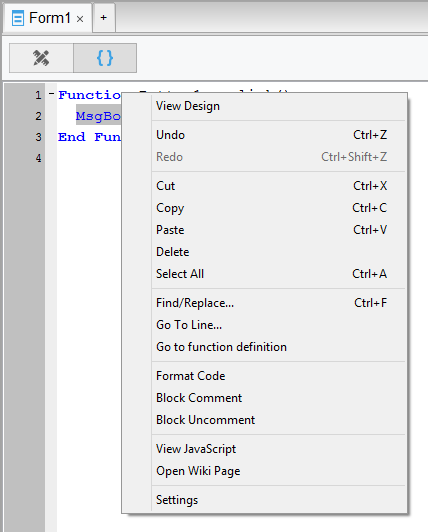
AppStudio 4 brings a number of improvements to the Code Window. Since that’s where programmers spend most of their time, it was long overdue. Some of the issues we addressed were among the oldest on our list.
Continue reading “AppStudio 4: Improvements to the Code Window”
AppStudio 4.0.1 has been released.
There are a number of improvements to make a programmer’s life easier, plus some fixes.
AppStudio 4 brings some handy new functions. Each of these saves you time: they replace several lines of sometimes messy code in your app.
Read on to see how to use Format, IndexOf, Push and Splice.
Continue reading “AppStudio 4: Some handy new functions”